We are excited to announce new enhancements to DataBlend set to be released this week! Below is a recap of the enhancements and updates.
Platform Enhancements
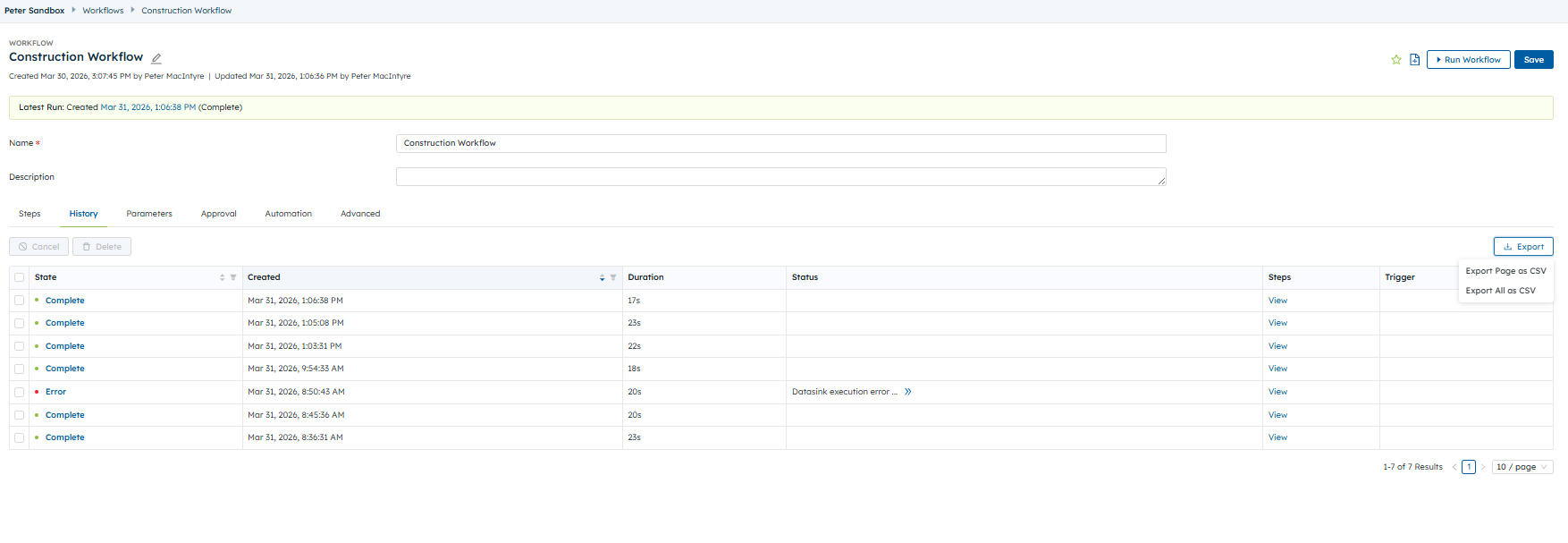
Workflow: Added the ability to export filtered workflow execution history to CSV, respecting currently applied filters and sort order
- Two options in dropdown:
- "Export Page as CSV": Export only visible search results per paginated results
- "Export All as CSV": Export all search results (uses limit of -1 for unlimited results)
- All columns are included in the CSV, even those that are not visible in the UI
- Data for some columns are processed to get a single string or number value like "Most Recent" for Collectors, Queries, etc. to show status and time
- Typically sits next to existing "View Options" button
- For search pages, this is in the page header as a button
- For the dashboard and other places where a search table exists within a 'card', it is in the card header as an icon
- For 'History' tab that shows execution history on edit pages, appears above the search table on the right side
- All timestamps are in UTC
- CSV filenames are specific to the type, for example, favorites.csv, workflows.csv, workflow-history.csv, etc.
Data Table Editor Enhancements
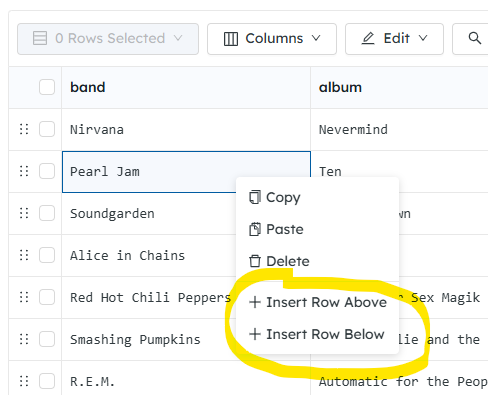
Data Table Editor: Modified the Copy function in Data Tables to support copying an entire row, and added the ability to insert a new row above or below an existing row
Right-click any cell in a row to insert 1 row before or after the clicked row:
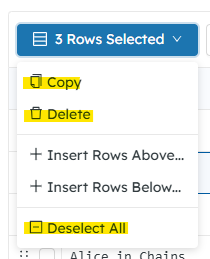
Insert multiple rows (1,000 max) using the new “Selected Rows” button:
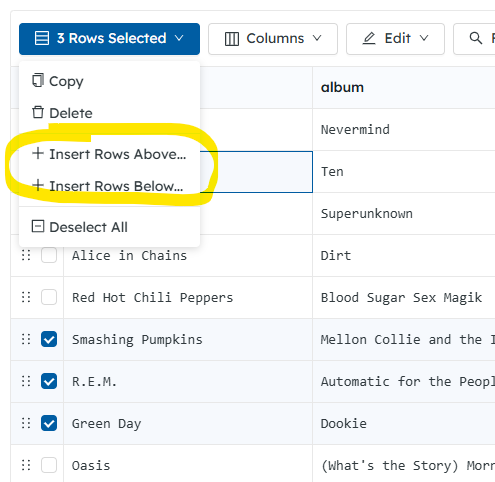
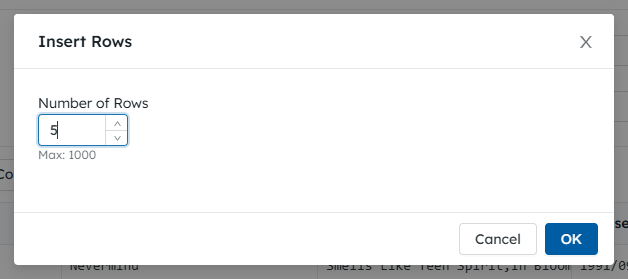
Either of these “Insert Rows…” options will open a modal to set the number of rows to insert:
New “Rows Selected” menu replaces the “Delete” button. Delete option now exists within this menu. And “Deselect All” was moved here from the “Find & Replace” menu:
UI Enhancements
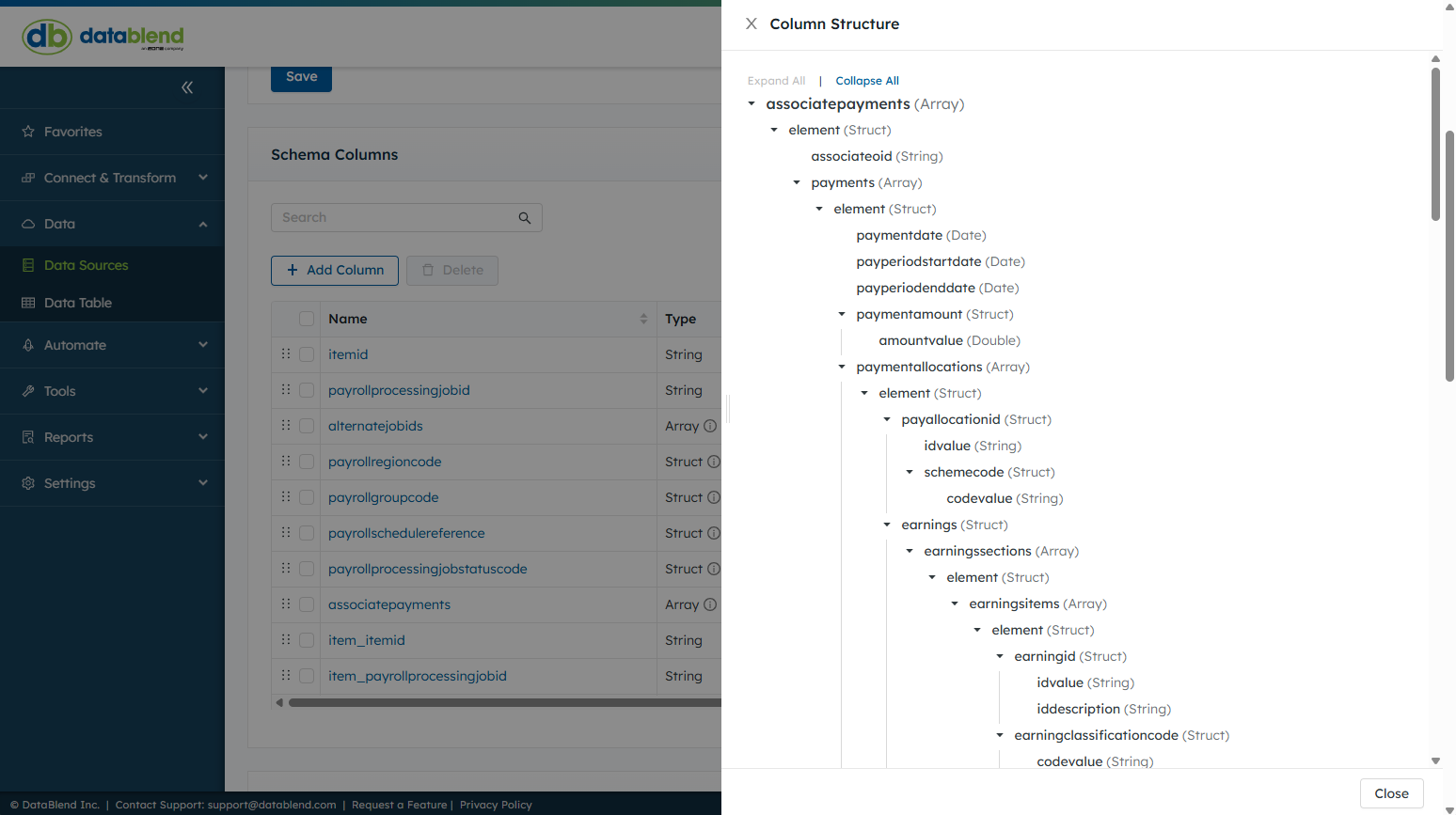
UI: Added a page to visualize JSON hierarchy and node types (Infer), replacing the need to manually click through every schema layer
- You can now inspect the structure of 'Struct' and 'Array' columns more easily in the schema editor. When a column has nested subcolumns, an info icon appears next to the column type. Clicking it opens a drawer showing the full hierarchy as an expandable tree with Expand All and Collapse All controls. This helps you understand the data's shape, especially when working with deeply nested objects.
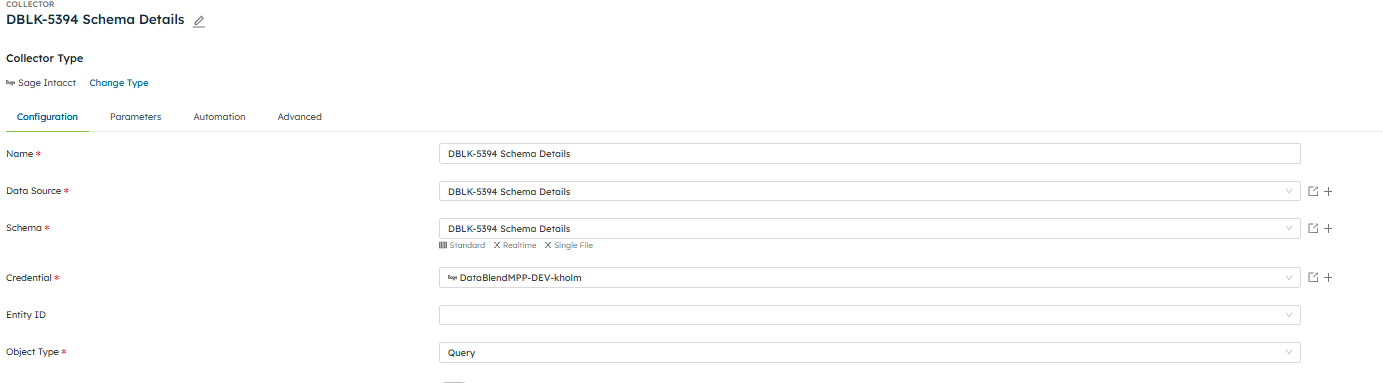
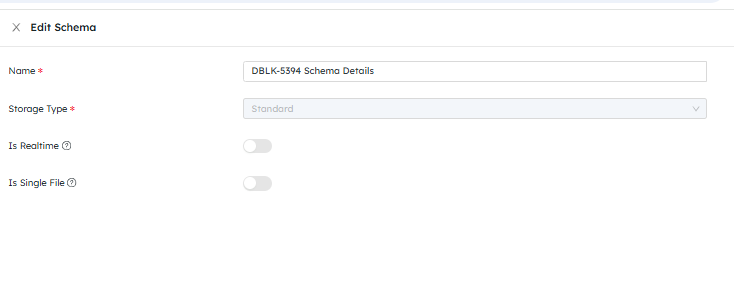
UI: Added visibility indicators on the collector page for schema settings (e.g., real-time vs. single file)
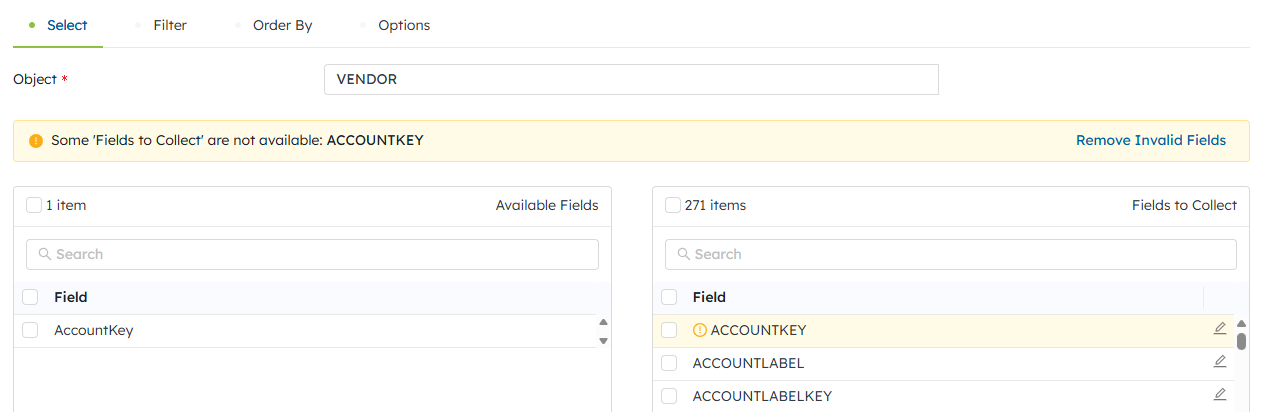
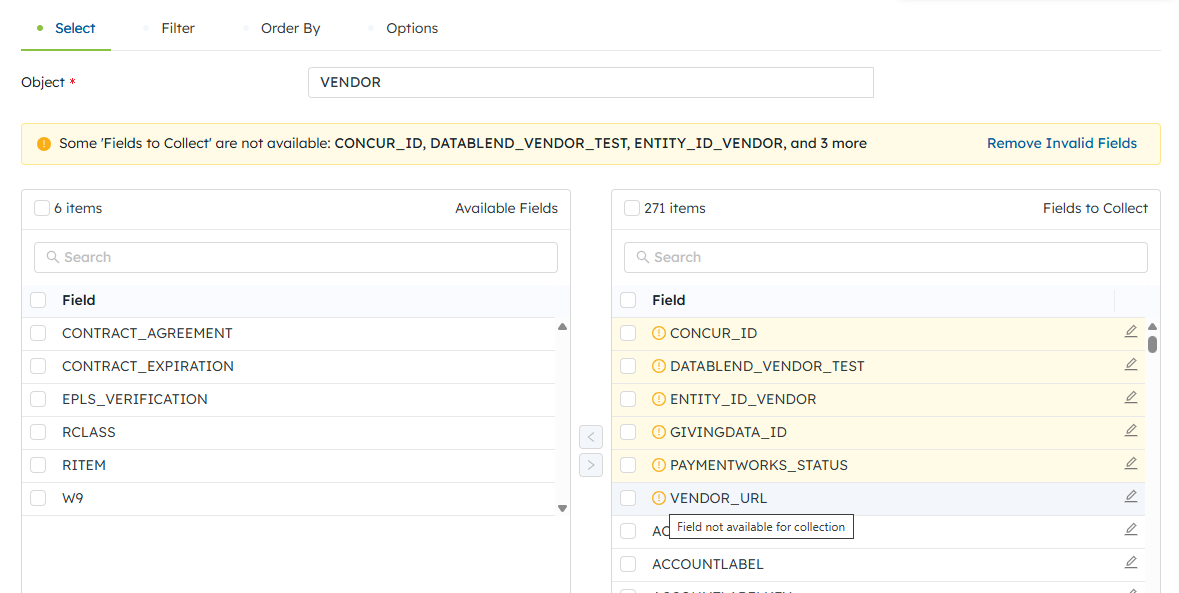
UI: Added visibility in the UI for what fields are being queried in Intacct (Query, Read By Query), Intacct REST (Query), HubSpot (Query), and UKG Ready (Reports) collectors to surface fields that may not exist for the selected credential
Added a warning in the UI to three Intacct, one HubSpot, and one UKG Ready "select editor" components that alerts users when their configured "Fields to Collect" reference field names that no longer exist on the selected object.
UI: Improved scheduling UX to clearly display the timezone selector before or alongside time selection in the preset/cron scheduler
The schedule editing experience has been streamlined across collectors, data targets, and workflows:
-
-
Automatic time zone detection — When creating a new schedule, the time zone now defaults to your browser's local time zone instead of requiring manual selection.
-
Contextual time zone display — The time zone selector now appears directly alongside your schedule's time setting, both in the presets view and the cron expression editor, making it clearer which time zone applies to your scheduled runs.
-
UI: Added UK date and time notation support across platform date fields
DataBlend now formats dates and times throughout the application according to your browser's language setting. This improves readability for users in different regions.
en-US (United States) — dates display as MM/dd/yyyy (e.g., 03/20/2026, Mar 20, 2026, 10:30:00 AM)
en-GB (United Kingdom) — dates display as dd/MM/yyyy (e.g., 20/03/2026, 20 Mar 2026, 10:30:00)
en-IE (Ireland) — dates display as dd/MM/yyyy (e.g., 20/03/2026, 20 Mar 2026, 10:30:00)
If your browser is set to a language not listed above, the application defaults to en-US formatting.
What Changed:
-
All date/time displays across the application — including list views, detail pages, execution timelines, breadcrumbs, log viewers, schedule descriptions, and collector configuration editors — now respect your browser locale.
-
Date picker controls throughout the application now default to your locale's date format.
-
Schedule cron descriptions now display in 24-hour time for en-GB and en-IE users.
-
The parameter editor now shows a formatted date preview, making it easier to verify how date parameters will be sent to connectors.
-
Log viewer timestamps now use the unambiguous yyyy-MM-dd HH:mm:ss format.
No action required — the application automatically detects your browser language. To change your locale, update your browser's language settings and refresh the page.
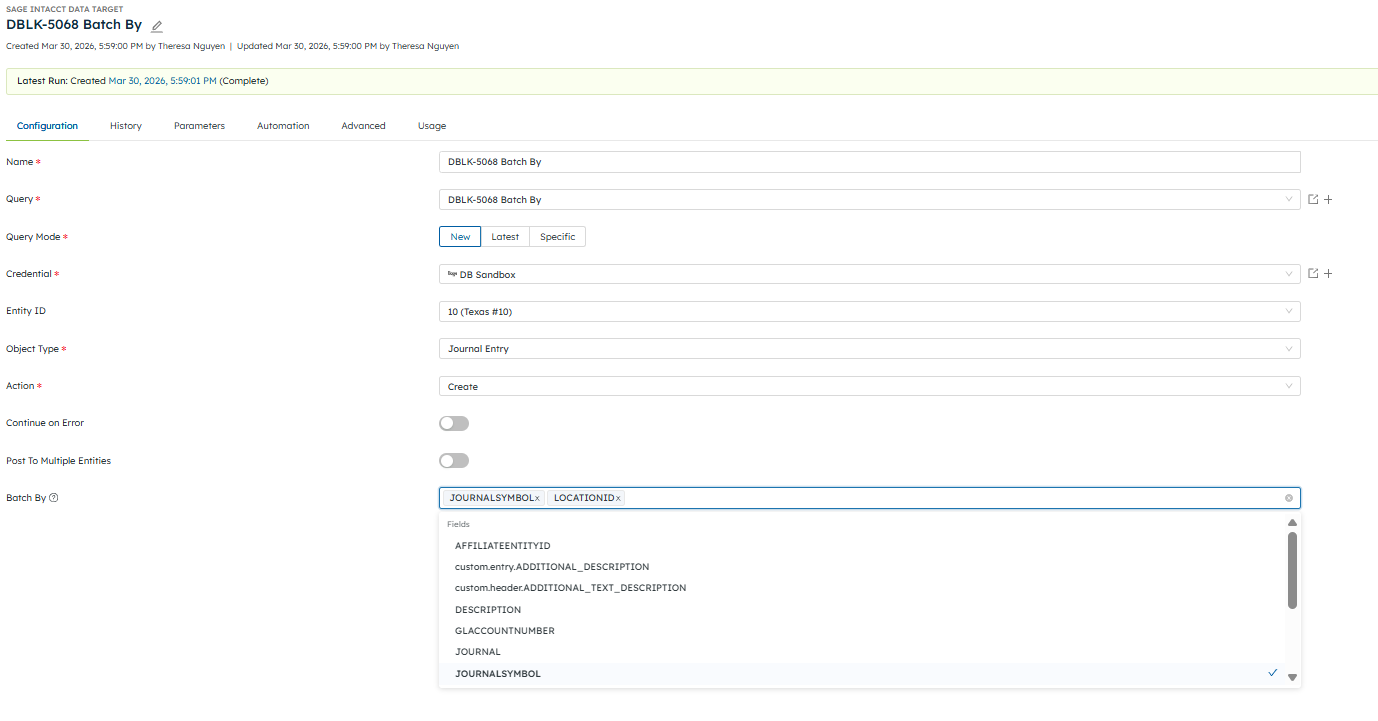
UI: Improved the "Group By" label in Sage Intacct Data Targets
- The "Group By" (now “Batch By”) field for Sage Intacct data targets has been enhanced and renamed to "Batch By". Instead of manually typing field names, you can now select from a dropdown that automatically lists available fields from your query and any defined parameters. Multiple fields can be selected. This makes it easier to configure batching correctly and reduces errors from mistyped field names.
- List of Object Types w/ “Batch By” field
-
Account Group
-
AP Adjustment
-
AP Bill
-
AP Payment
-
AR Adjustment
-
AR Advance
-
AR Payment
-
Bank Feed
-
Budget
-
Change Request
-
Charge Card Transaction
-
Checking Account Reconciliation
-
Expense Adjustment
-
Expense Report
-
Inventory Transaction
-
Inter-Entity Transaction Configuration (Update)
-
Invoice
-
Journal Entry
-
Order Entry Transaction
-
Other Receipt
-
Project Contract Line
-
Project Estimate
-
Purchasing Transactions
-
Reconcile Savings Account
-
Revenue Recognition Schedule
-
Timesheet
-
Transaction Allocation